PERFECT CHECKOUT.
A multi-tenant, embeddable checkout for WooCommerce stores. I built and ran it as the primary engineer from July 2020 to June 2023, serving live merchants. This was before modern coding agents were part of my workflow. Every line was written by hand, and it ran in production for three years.
What it was
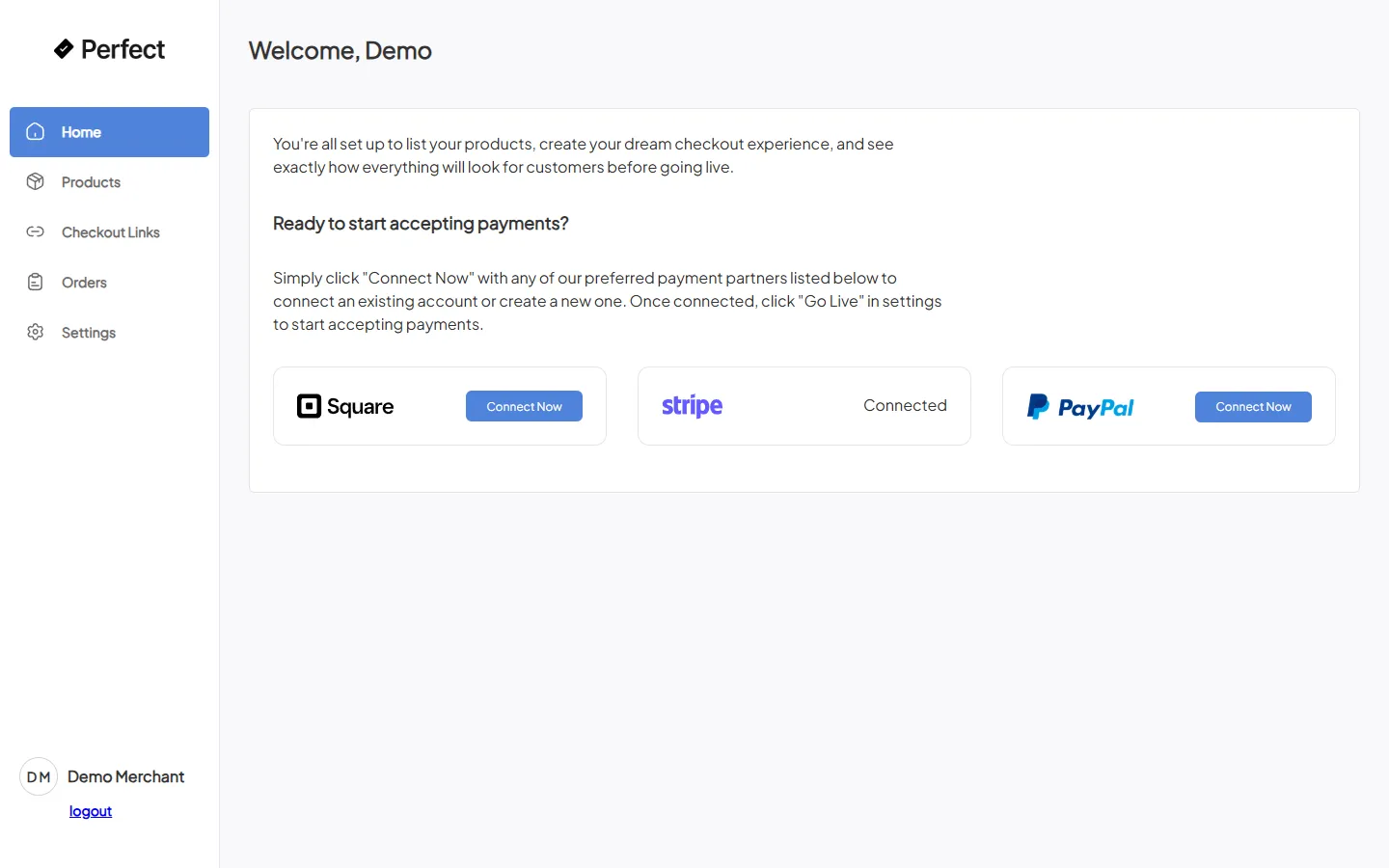
A merchant installs a WordPress plugin that swaps their WooCommerce cart page for an iframe. That iframe is this app.
It pulls the merchant's live cart over the CoCart REST API, renders a branded one-page checkout, and hands the payment to whichever processor the merchant connected, Stripe, Square, PayPal, or Authorize.net, before writing the finished order back to WooCommerce. The app never stores a product catalog or a cart of its own. It is a checkout layer in front of the merchant's real store.
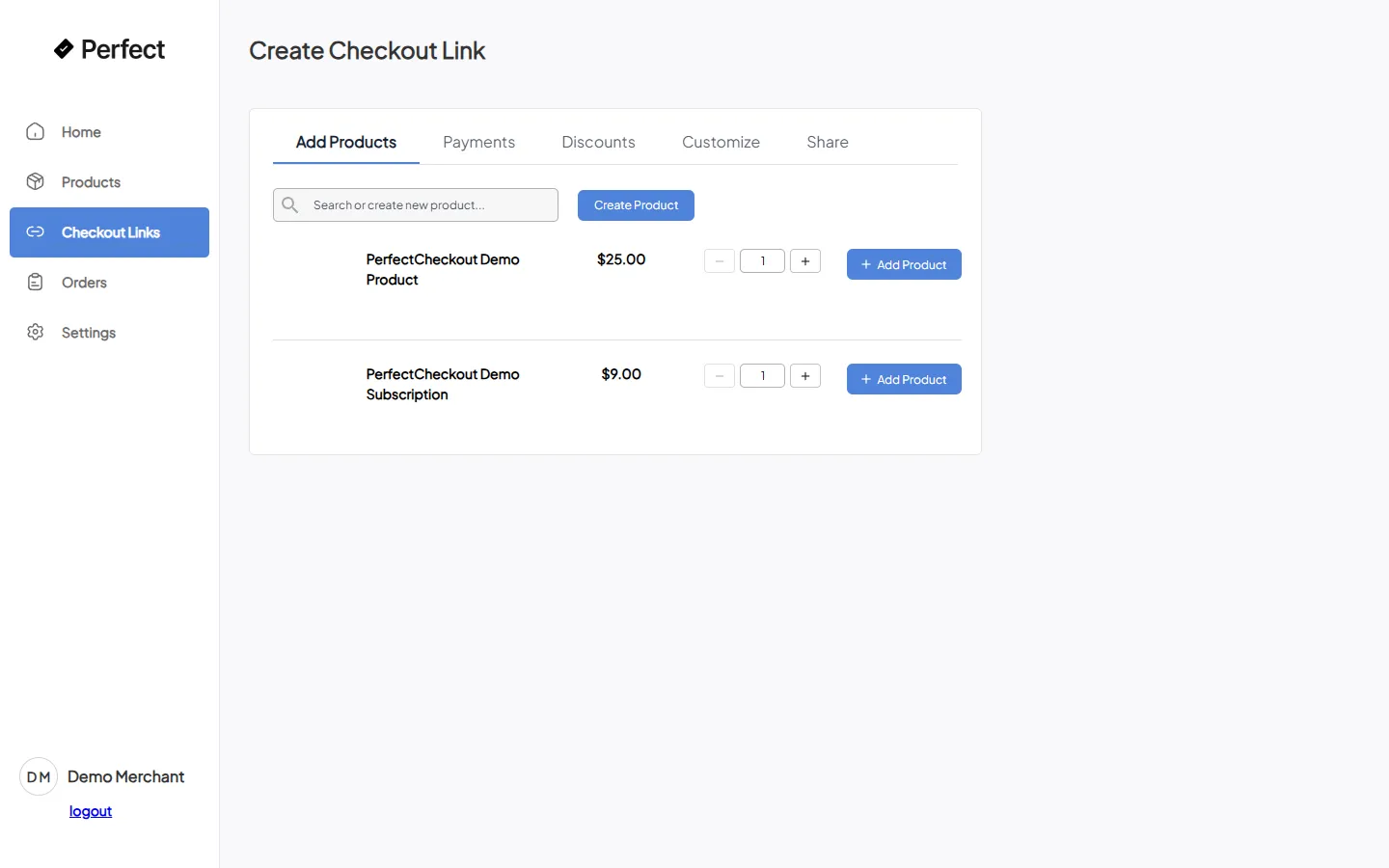
Merchants ran all of it from a dashboard: connect a processor, build named checkout links with per-link payment, coupon, and branding overrides, generate QR codes and buy-now buttons, watch orders arrive, and self-serve their own platform billing.
Guest and saved-card checkout
Returning customers checked out against saved cards; first-timers checked out as guests, both on the same one-page flow.
Subscriptions and coupons
Recurring billing and coupon codes, with per-link discount overrides configured by the merchant.
Digital-wallet express
Apple Pay, Google Pay, Cash App, and AfterPay express checkout, alongside the standard card field.
Post-purchase upsells
Configurable redirects after a completed order, for one-click follow-on offers.
Per-field customization
Merchants chose which contact fields appeared, added custom fields, and injected custom HTML into the checkout.
Named, shareable links
Every checkout link was its own configured surface, generated as a URL, a QR code, or an embeddable buy-now button.
Built by hand, before agents
This ran from 2020 to 2023, before modern coding agents were part of my workflow. I want to say it plainly: as the company's co-founder and CTO, I was the primary engineer on a four-processor, multi-tenant payment system, the old way, for three years.
The repository holds 7,459 commits, roughly 83% of them authored directly by me. The surface was genuinely wide for one person: four payment processors, each with its own OAuth connect flow, webhook handlers, and customer and subscription bookkeeping, running against the merchant's own connected account rather than the platform's. I own the whole loop now with agents doing the keystrokes. I owned it then without them.
Stack
Next.js 12 on the pages router served both the merchant dashboard and the checkout iframe, with React 17, MUI v4, and Redux with redux-thunk holding the checkout's cart state.
Backend
Next.js API routes as the backend, no separate server. Each route talked directly to MySQL through serverless-mysql and to the relevant processor's SDK.
Sessions
iron-session handled dashboard auth and a signed, sealed session object that round-trips the checkout iframe's GET, POST, PUT lifecycle, so the server trusts state across requests without a database read on every hop.
System of record
The WooCommerce and CoCart REST APIs were the source of truth for cart contents and orders. The app read from and wrote back to the merchant's real store.
Multi-processor abstraction
A payment_method field on the merchant record switched between four independent code paths for creating a charge, each against a connected account: Stripe Connect, Square OAuth, PayPal partner referral, and Authorize.net.
Embeddable by design
The whole checkout was built to live inside someone else's cart page as an iframe, branded per merchant, making the same calls whether embedded or standalone.
The 2026 resurrection
The company folded in 2023, and the cloud it ran on is gone: Azure MySQL, AWS RDS, Vercel, and the fleet of connected stores. In 2026 I brought the codebase back to life on a laptop, with no cloud dependency.
Reverse-engineered, because no dump ever existed
Production lived on Azure MySQL and AWS RDS, accessed live and never exported. The schema here was reconstructed from every SELECT, INSERT, and UPDATE literal in the API routes, then stood up as a portable, no-install MariaDB that writes nothing outside the repository.
A mock store the app can't tell apart
Instead of a full WordPress install, a roughly 150-line HTTP server implements just the handful of WooCommerce and CoCart endpoints the checkout actually calls, with realistic response shapes. The app makes the same HTTP calls it always did.
A real Stripe test-mode connected account
A script creates a real Stripe test-mode Custom connected account through the API, so the Stripe path has a live target, exactly like a merchant's connected account would be. Square, PayPal, and Authorize.net stay present in the code but stubbed for this demo.
One order, end to end
The point of the mock store and the connected account was to prove the checkout path still runs end to end. It does.
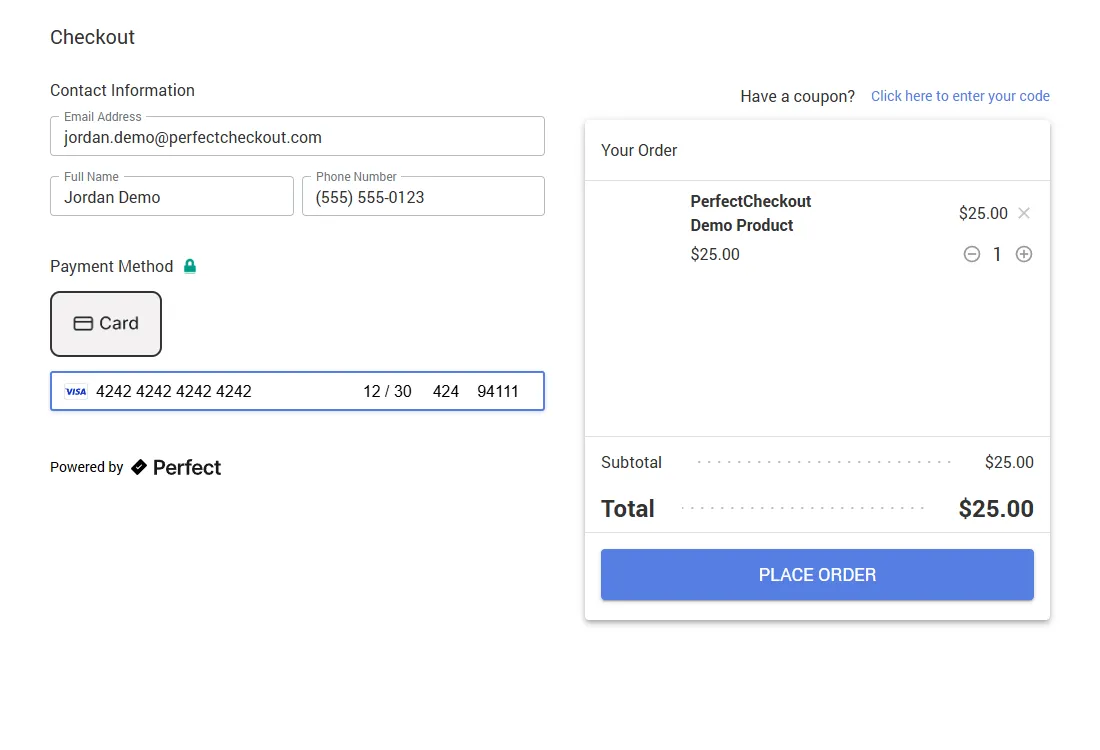
A license lookup and a sealed session start it. A real CoCart fetch returns a one-item cart. The checkout
renders with a live Stripe card field and the real total. The submit creates a WooCommerce order, creates
a Stripe customer, and creates a real PaymentIntent on the connected test account, confirmed
with Stripe's test Visa and returning succeeded. The order is then marked paid and the
transaction complete.
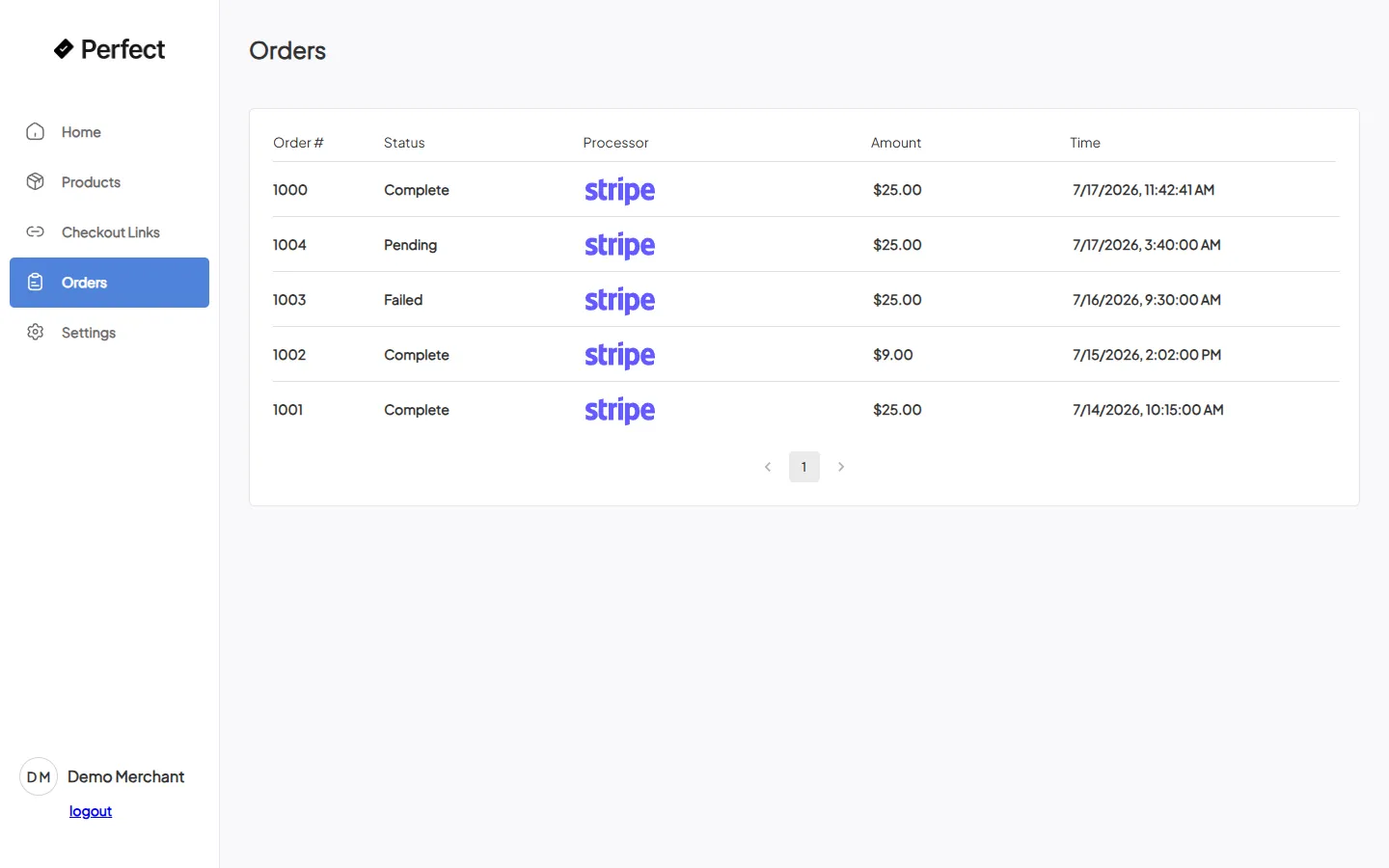
That order, #1000, $25.00, Stripe, Complete, shows up in the merchant's own Orders dashboard, because it went through the same code path a browser checkout would. The one honest deviation: the final card-entry step was driven through Playwright's frame-aware API rather than a live click, after the interactive browser proved unreliable at typing into Stripe's cross-origin card iframe. The PaymentIntent confirmation itself is unmodified Stripe API traffic.
Two small bugs surfaced, both in the gap between the old cloud and the local machine: a database helper needed a port option and conditional TLS, and a transactions route wrote an ISO timestamp that MariaDB rejects and had to reformat. Neither touched the product logic.
The point
Perfect Checkout is the proof that the production instinct came before the tooling. Three years as primary engineer on a four-processor payment system, and a codebase that still completes a real Stripe charge years after its infrastructure died. I could build this before agents. Now I build with them.